Autorun brings Wine and Box64 to Switch to run 32-bit Windows PC games
Autorun is an experimental Switch homebrew app that combines Wine, Box64 and DXVK to run 32-bit Windows games from the SD card. The author says some games run well and many still stop early.
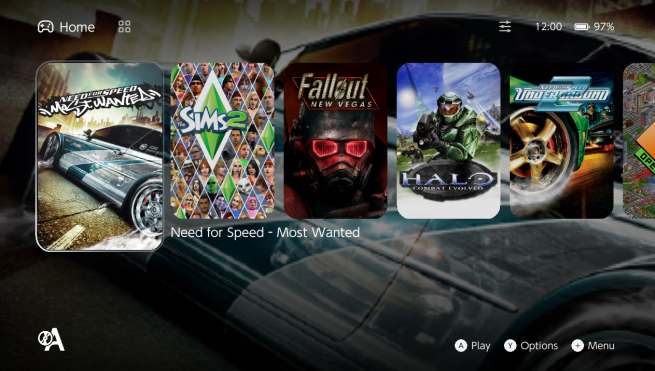
Autorun is a new experimental homebrew app for the Nintendo Switch. It aims to run Windows games and programs on the console, according to its GBAtemp thread. The app brings Wine to the Switch's own operating system and uses Box64 to translate x86 code for the console's ARM processor. Players supply their own PC copies of the games.
How it works
Wine is the compatibility layer that lets Windows software run outside Windows. Box64 handles the processor difference between PC and Switch. The project's repository is hosted on GitHub. The GBAtemp post says that adding a game turns on DXVK by default. DXVK draws Direct3D games through the Switch's Vulkan driver. Players who prefer WineD3D can switch off the setting called Give a new game DXVK.
Autorun is labelled experimental. The author says some games run well, while many start and then stop on something not yet implemented. Every run writes a log that shows where it stopped, which should help with diagnosing problems.
Requirements and limits
A Switch with custom firmware (Atmosphère) able to run homebrew.
A microSD card with room for Autorun and the games.
Games as installed PC folders. Autorun runs 32-bit Windows games, which the author says covers most PC titles up to the early 2010s.
Games that exist only as 64-bit do not run yet.
Installation is described as unzipping the package to the root of the SD card, with everything going into switch/wine, then launching Autorun from the Homebrew Menu. Games need a lot of memory. The author therefore recommends opening the Homebrew Menu by holding R while starting a game, instead of using the Album. The other option is to create an Autorun forwarder from the settings and launch it from the HOME menu.
Adding games
A game's folder is copied into switch/wine/drive_c on the card, and that folder becomes the game's C: drive. In Autorun, the player then chooses the option to add a game and selects its .exe file.
Settings files and the 32-bit forwarder
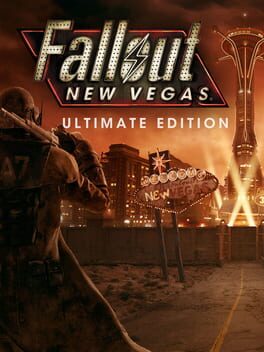
Some games refuse to start without a settings file that their own installer or launcher would normally write. Autorun ships such files in the location where Windows keeps them. The thread uses Fallout: New Vegas as the example. Without settings, the game does not recognise the graphics card, hands over to its launcher and closes. The bundled FalloutPrefs.ini names the Switch's GPU and asks for 720p, so the game starts. The game rewrites the file when options are changed in game. Anyone editing it by hand should keep the sD3DDevice line under the Display section.
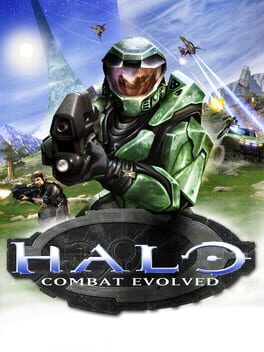
A few older games only work when loaded at fixed low memory addresses. The thread names Need for Speed Underground 2 and Halo. Autorun detects this and offers to create a 32-bit forwarder, which adds an Autorun 32-bit icon to the HOME menu. Those games must be started from that icon.
What it means
The sources do not give version numbers, performance figures or a list of compatible games beyond the examples above. Performance and compatibility therefore remain unconfirmed. The project is at an early stage, and the author states that many games still stop partway. For the Switch scene, it is another attempt to bring PC software to the console through a Wine and Box64 stack, and it needs custom firmware.
- Autorun
- Box64
- DXVK
- Switch homebrew
- Wine
Comentarios
Inicia sesión para unirte a la conversación.
Cargando comentarios…